
On this page
Knowing how to program a garage door remote is mostly knowing why it works the way it does. Modern remotes use rolling codes: the remote and the opener share a sequence that changes on every press, so you can't copy a neighbour's remote, and pairing has to happen at the motor itself — physical access to the opener is the security. You're introducing a new remote to the motor, in person, once.
How to program a garage door remote in five steps
- Put a fresh battery in the remote and check the remote is made for your opener's brand (see below)
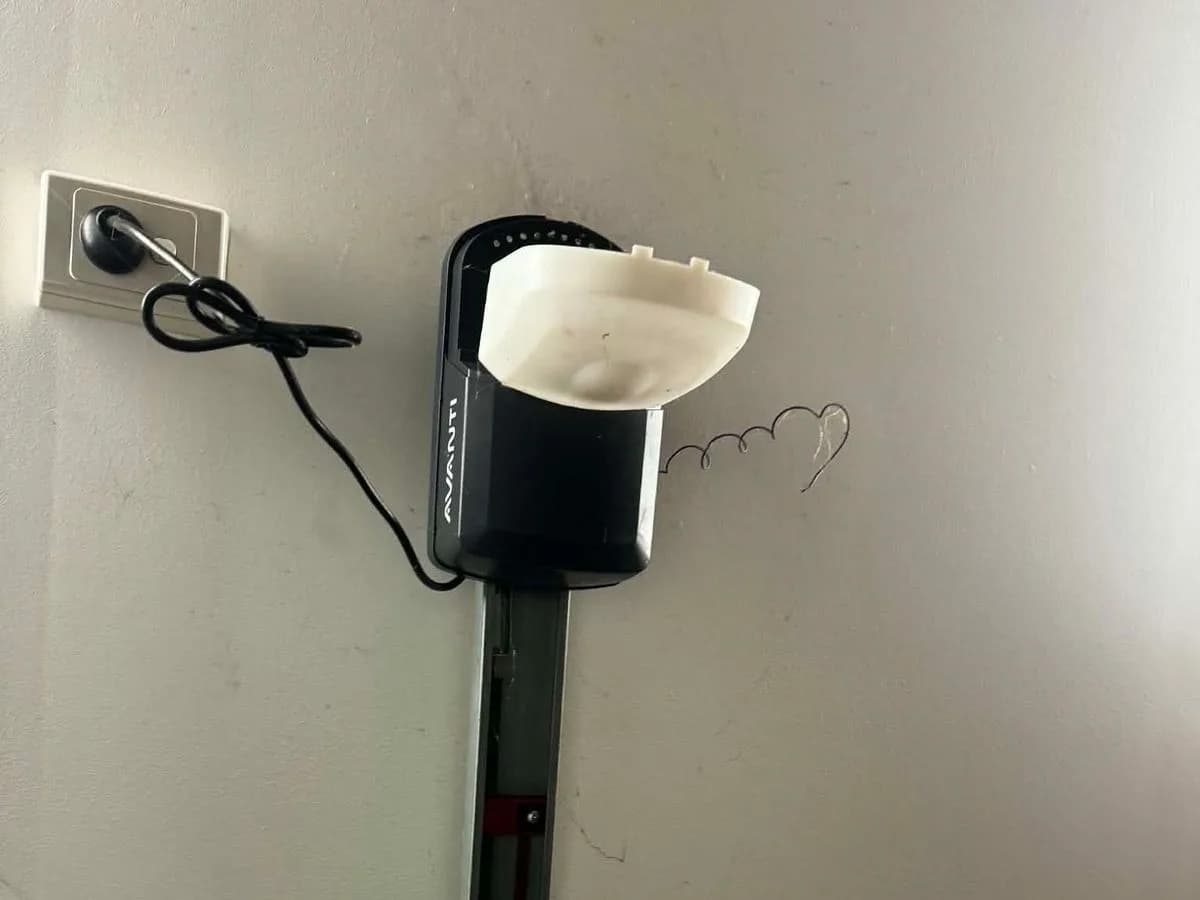
- Get safely up to the motor unit — on the ceiling for a sectional or tilt door, at the side of the drum for a roller door — with a stable ladder and good light
- Press and RELEASE the learn, code or program button. A light usually comes on or starts blinking to show the opener is listening
- Within about 30 seconds, press and hold the remote button you want to use until the opener's light flashes, the courtesy light blinks or you hear a click, then let go
- Test from inside the garage, then again from the street. Repeat for each extra remote
Press, don't hold, the learn button
On many openers, holding the learn button for several seconds is the memory wipe — it deletes every remote the motor knows, including the ones in the house and both cars. A short press teaches, a long press forgets. Getting that backwards is how a two-minute pairing turns into re-programming the whole household.
Where the learn button is on Australian openers
The button moves around between brands and between generations of the same brand, so treat this as a guide to where to look, then confirm the sequence on the label inside the light cover or in the manual for your model number.
- Merlin (made by Chamberlain): a learn button on the motor unit, usually beside the light lens or on the side panel, with an LED next to it. Press and release, then hold the remote button until the light blinks or the opener clicks. See our Merlin garage door openers page for current models
- B&D (Controll-A-Door openers): a code or program button on the motor unit, often under the light cover. Some models want the remote button pressed more than once — the label under the cover shows the sequence
- ATA (Automatic Technology): a small code-set button on the opener's control panel, often behind the light cover; an LED shows when it's ready to learn
- Gliderol (Glidermatic openers): a program button on the motor unit — on roller-door models it sits on the side of the drum, sometimes under a cover or grommet
- Steel-Line: a program button on the motor unit near where the aerial wire comes out; the indicator light flashes while it's learning
- Jaytech and Superlift (both built in WA): a learn button on the control board, usually behind the light lens or a removable cover
Can't tell which unit you have? Photograph the label on the motor — model numbers beat brand logos, because most brands changed their pairing sequence at least once. That photo is also exactly what to send us if you'd rather we bring and program the remotes.
Can you pair a new remote from an existing one?
On some systems, yes. Several Australian brands let a remote that already works put the opener into learn mode — usually with a button combination on the old remote or a small recessed button on its back — so the new one pairs from the ground without a ladder. Whether yours can depends on the opener and remote generation, so check the leaflet that came with the new remote. You always need one working remote (or access to the motor) to do it; there's no way to pair a remote to an opener you can't reach.
Will any remote work with my opener?
No. Each brand uses its own rolling-code system, and often different systems across its own model years, so a remote has to match the opener's brand and generation. Genuine replacements and a few proven-compatible remotes will pair; cheap generic remotes bought online often won't, or they pair and then drop out. If the old remote still works, take it with you when buying a spare — the model number on the back is the easiest way to match it.
How to program a 4-button garage remote
Each button pairs on its own. The opener learns whichever button you hold during its learn window, and the others stay free for a second garage, a gate or a roller door. Run the normal sequence once per button per device: learn mode on the first opener, hold button one; learn mode on the second, hold button two. Label which button does what before you forget.
Pairing your car's built-in buttons
Cars with built-in garage buttons (HomeLink and similar) add one step: the car learns the remote, and then the opener has to learn the car. Train the car's button first with a working handheld remote held close to it, as the car's handbook describes. Then put the opener into learn mode and press the car's button — some cars need it pressed two or three times before the opener accepts it. If the car 'learned' the remote but the door ignores it, the second step at the motor is the one that got skipped.
When a remote refuses to pair
- Wrong code system: a remote that doesn't match the opener's brand or generation will never pair reliably, however many times you try
- Full memory: older openers store a fixed number of remotes and quietly refuse new ones until the memory is cleared, which means re-pairing every remote you keep
- Tired receiver: a remote that pairs, works for a few days, then drops out points to the opener's receiver board, not the remote
- Weak signal: if every remote only works up close, check the aerial wire hangs straight down rather than coiled, and look for LED lights mounted close to the motor
The garage door remote not working checklist goes through these in order, starting with the free checks.
Lost or stolen remotes: clear the memory first
A missing remote still opens your garage until the motor's memory is cleared. If it went missing with anything carrying your address — a handbag, a car — clear the opener's memory with the long press on the learn button, then re-pair only the remotes you still hold. Our guide on how to reset a garage door opener and remote covers the memory wipe and the other resets step by step. If you'd rather control the door from your phone and share access without handing out remotes, smart garage door openers are worth a look.
When to hand it over
If you've had two failed attempts on the ladder, it's time to hand it over. Replacement remotes, coded on site, are matched to your opener before we arrive, and the visit covers programming every handset you need, clearing lost remotes properly, and checking the receiver and aerial when range is poor. If the real problem is the receiver or a motor near the end of its life, you'll hear that plainly rather than being sold another remote.